nodenap
A Kubernetes controller that powers your homelab's machines on and off, so your cluster uses (and pays for) only the hardware it needs right now.
What it does
Homelabs are usually a mix: a few mini PCs, a GPU workstation, an old server, some Raspberry Pis. They draw very different amounts of power and run different workloads.
-
Wakes the cheapest machine that fits
It remembers each powered-off machine's CPU, memory, GPUs, architecture, labels and taints, so a GPU job wakes a GPU box and a small pod wakes a mini PC.
-
Powers off idle machines
Least efficient first, once their pods fit elsewhere. Drains respect PodDisruptionBudgets, and powered-off machines stay in the cluster as Nodes.
-
Knows what power costs right now
Time-of-use tariffs, live prices (for example from Home Assistant), solar surplus and home batteries.
-
Switches machines however they can be switched
Wake-on-LAN, smart plugs (Shelly, Tasmota, Home Assistant), IPMI, Redfish, the Talos API, Sidero Omni, or SSH.
How it works
             every 15s (one leader)
 Nodes  ┐   ┌──────────────────────────────────────────────────────────┐
 Pods   ├──►│ measure → price → plan → step each Machine's state       │──► PowerPolicy status,
 Prices ┘   │ (plugs,    (tariff,  (wake    machine: drain → shutdown   │    Events, metrics
            │  BMCs,      solar,    / off)  → power cut … wake → Ready) │
            │  PromQL)    battery)                                     │
            └──────────────────────────────────────────────────────────┘
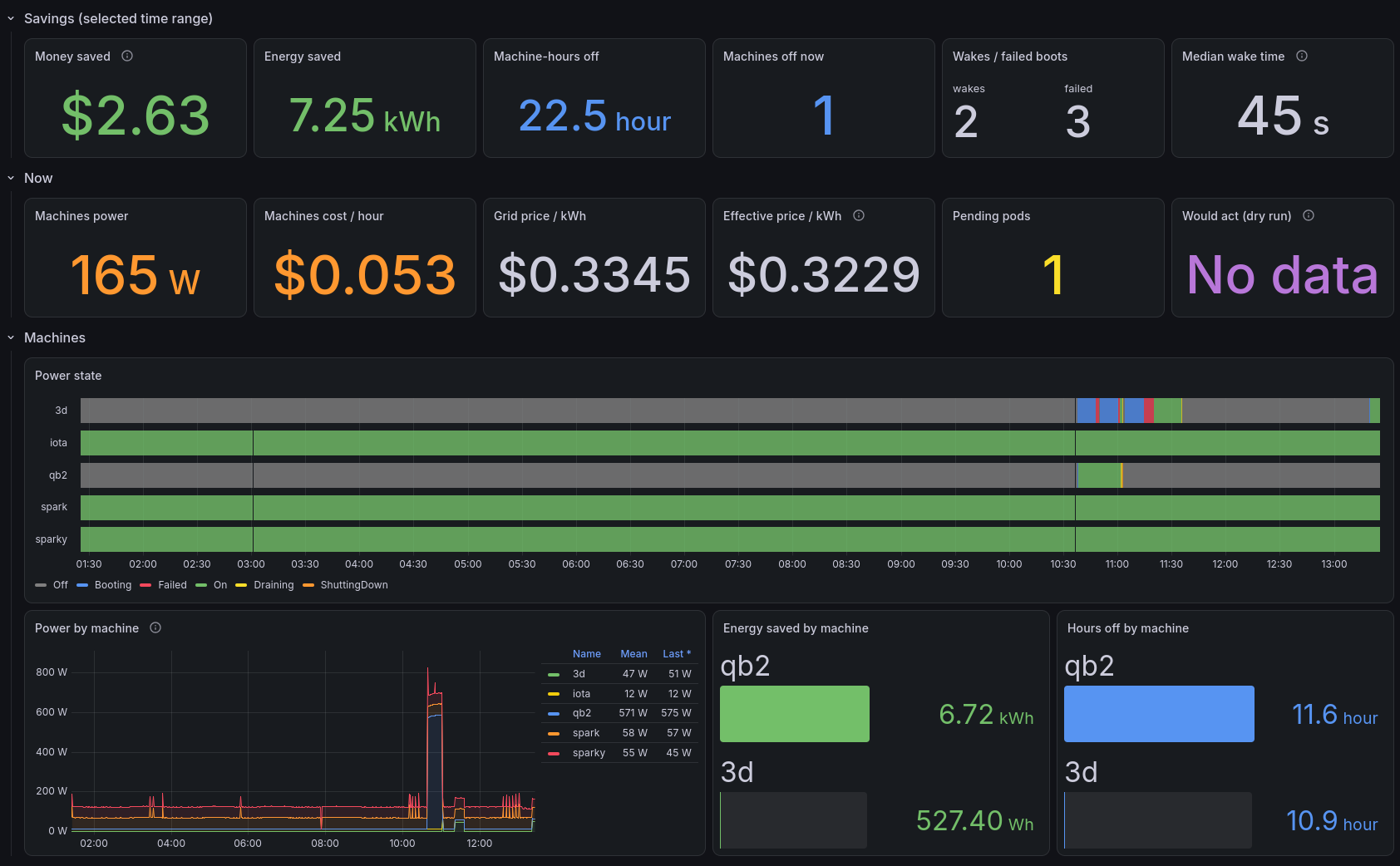
The Helm chart includes a Grafana dashboard that shows what's on, what it costs right now and what nodenap has saved:
Try it in dry run
Dry run never touches a Node, pod or machine. After about 15 minutes it lists which nodes could sleep.
kubectl create namespace nodenap
kubectl label namespace nodenap pod-security.kubernetes.io/enforce=privileged
helm install nodenap oci://ghcr.io/rothgar/charts/nodenap -n nodenap
kubectl get powerpolicy default -o jsonpath='{range .status.suggestions[*]}{.target}{"\t"}{.machine}{"\t"}{.reason}{"\n"}{end}'
Then set your price, add a Machine for each machine that
may sleep (power drivers), and set dryRun: false.
Getting started walks through it.